

Features of Mechanical Keyboard and Mouse Set
Nov 13, 2024
I. Mechanical Keyboard Features
Superior Typing Experience
Tactile Feedback: Mechanical keyboards offer distinct tactile feedback. For example, the Cherry MX Blue switches have a pronounced tactile bump and a clicky sound when the key is pressed. This provides a satisfying typing experience and helps users to know precisely when a key has been actuated, reducing typing errors.
Variety of Switch Types: There are different types of mechanical switches such as linear (e.g., Cherry MX Red), which provides a smooth, consistent keystroke without a tactile bump, and tactile - non - clicky (e.g., Cherry MX Brown) that offers a tactile feel without the loud click. Each switch type caters to different user preferences, whether it's for gaming, typing, or a combination of both.
Durability
Long - Lasting Switches: The mechanical switches in these keyboards have a high lifespan. They can withstand millions of keystrokes. The internal components of the switches, like the metal contacts and springs, are designed to endure heavy use. This makes the keyboard a reliable choice for users who type a lot or engage in intense gaming sessions.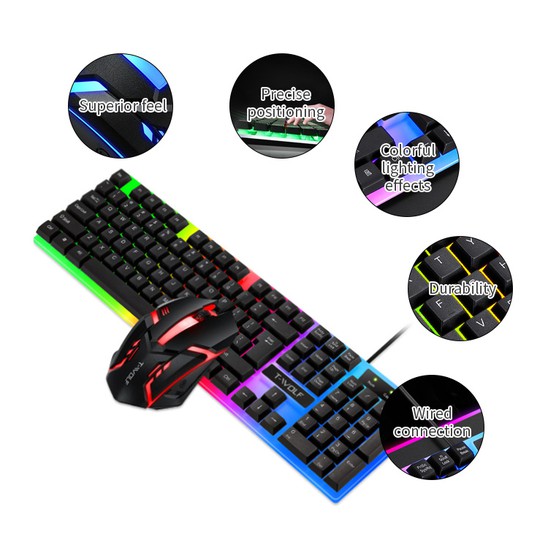
Quality Keycap Materials: Keycaps are usually made of materials like ABS, PBT, or POM. PBT keycaps, for instance, are known for their excellent abrasion resistance and resistance to developing a shiny, worn - out look over time. This ensures that the keyboard maintains its aesthetic and tactile qualities even after extensive use.
Full - Key Rollover and Anti - Ghosting
Many mechanical keyboards support full - key rollover or at least N - key rollover (where 'N' is a high number). This means that multiple keys can be pressed simultaneously and all the keypresses will be registered accurately. Anti - ghosting technology further enhances this by preventing the keyboard from misinterpreting or missing keypresses, which is crucial for gamers who need to execute complex key combinations quickly and accurately.
Customizability
Switch Customization: Some mechanical keyboards allow users to replace the switches. This gives users the freedom to change the typing feel according to their preferences. For example, a user might start with Cherry MX Red switches for a light typing feel and later decide to change to Cherry MX Green for a more tactile and clicky experience.
Keycap Customization: The keycaps can be easily swapped out. Users can choose from a wide range of keycap designs, including different colors, heights, and legends. This enables them to personalize the keyboard's appearance and even improve the ergonomics by choosing keycaps with a more comfortable profile.
Aesthetic Appeal
Mechanical keyboards come in a variety of designs. They can have different color schemes, from classic black and white to more vibrant and colorful options. Many keyboards also feature backlighting, such as single - color backlights, RGB lighting with a wide range of color combinations and lighting effects. The backlighting not only enhances the keyboard's appearance but also makes it easier to use in low - light conditions.
II. Mechanical Mouse Features
Precision Tracking
Mechanical mice use advanced optical or laser sensors that provide high - precision tracking. The sensors can detect even the slightest movements of the mouse, allowing for accurate cursor control. This precision is especially important for tasks such as graphic design, where users need to make precise selections and adjustments, or in first - person shooter games, where quick and accurate aiming is essential.
Durable Build
The outer shell of mechanical mice is usually made of high - quality materials that can withstand daily wear and tear. The buttons on the mouse are designed to be durable and responsive. The internal components, such as the scroll wheel and the sensor, are also built to last. Some mechanical mice have a rugged design that can survive accidental drops and rough handling.
Ergonomic Design
Mechanical mice are often designed with ergonomics in mind. They have a shape that fits comfortably in the hand, reducing hand fatigue during long - term use. The placement of the buttons and the scroll wheel is optimized for easy access and operation. Some mice even come with additional thumb buttons that can be programmed for specific functions, such as forward and backward navigation in a web browser or for in - game commands.
Responsive Buttons
The buttons on a mechanical mouse have a short actuation distance and a crisp click feel. This means that the mouse responds quickly when a button is pressed, allowing for rapid and efficient operation. The tactile feedback from the buttons also gives users a sense of confidence in their clicks, ensuring that their commands are being executed accurately.
Connection Options
Mechanical mouse sets often come with multiple connection options. They can be connected via a USB cable for a reliable and consistent connection, which is ideal for gaming or high - performance tasks. Some models also support wireless connections, either through Bluetooth or a proprietary wireless receiver. Wireless mechanical mice offer more freedom of movement and a clutter - free desktop setup.


